 hover me 👀
A private desktop assistant that clears your inbox, runs your calendar, digs up the file you can't find, and writes the email — by voice or text, on your own PC. Most people get back 5+ hours a week.
Runs for about a nickel an hour — final price drops at launch. (yes, really.)
Runs on your PC · Gmail, Outlook, or iCloud · 30-second setup · your files & voice never leave the machine
The point
Not a chatbot you talk to — an assistant that does the boring parts of your day so you don't. Here's what that actually looks like, and what it gives you back.
A day with Jarvis
7:58 AM · coffee's still brewing
"What's on my plate?"
One answer: unread that actually matters across Gmail, Outlook, and iCloud calendar, today's events, and exactly who's waiting on a reply. No tab graveyard, no inbox doom-scroll.
⏱ ~15 min of triage → 30 seconds9:20 AM · between calls
"Reply to the landlord — push the inspection to Thursday."
Drafted in your voice, on the right thread, in the right account. You glance, you send. It never sends on its own.
⏱ no app-switching · ~5 min saved11:30 AM · the dreaded list
"Draft 40 intros from this spreadsheet — vary them."
Forty genuinely different emails, each with its own hook, sitting in Drafts for you to skim. The job you'd push to "tomorrow" for a week.
⏱ ~2 hours → about 90 seconds1:10 PM · where did I put that
"Where's the signed lease?"
Back comes the exact clause — pulled from your own folders of PDFs and Word docs. Nothing was uploaded anywhere to make that happen.
⏱ 10 min of digging → instant3:45 PM · admin you hate
"Turn these receipts into an expense sheet."
A real .xlsx — columns, totals, live formulas — not a screenshot of a table. Ready to hand to accounting.
⏱ ~30 min → about a minute5:30 PM · before you log off
"Anything I'm forgetting?"
"You still owe Sarah a reply — three days now. And dinner with Mom is Friday at 7." The thing you'd have remembered at 11pm.
⏱ the dropped ball, caughtThat's a normal day. Roughly five hours back every week — for about a dollar.
Everything he can do
Gmail, Outlook, or iCloud — all connected from one place. "Reply to Mom — tell her I'll make it Sunday." Done. Or "draft 50 personalized intros from this list" — in your Drafts in seconds, each with a different hook so nothing looks templated. Nothing sends until you approve it.
"Put dinner with Mom on Friday at 7." Done. "Move my 2 o'clock to tomorrow." Done. "What's on my plate today?" — one call: today's events, unread mail across both inboxes, recent people, anything still open — in one tight summary.
Everyone you email or meet gets a quiet running file. "Who's Priya again?" — the last few threads (both inboxes), what's coming up, and every detail you've mentioned about them. Gold for client work; just as handy for never blanking on a name. CRM-lite, no monthly fee.
Point him at a folder — class notes, tax paperwork, contracts, a research stack, even recipes. "Where did I put the lease terms?" / "What did we quote last spring?" comes back with the actual passages from your own PDFs and Word docs. Nothing uploaded anywhere.
Wake-word activated. Local Whisper for transcription — your audio never leaves your machine. Speak naturally; he hears you over background noise and knows when you're done.
Identity-level facts ("my partner's name is Alex") beat trivia. Recency decay. Semantic retrieval. He remembers what matters and quietly forgets what doesn't.
Built-in Chromium he can navigate, click, fill, and screenshot. Check a flight price, pull live numbers off a page, log into a portal and grab a report — without leaving the chat.
A budget that actually sums. A clean Word letter or PDF. A 10-page research brief composed in the background while you keep working. Word, PDF, Markdown, multi-sheet Excel with real formulas — not screenshots of tables.
"Clean up this messy CSV." "Rename these 200 files." "Chart this data." Sandboxed Python for the number-crunching, confirm-first PowerShell for the on-your-machine stuff. You ask in plain English; he picks the tool.
No marketing fluff. Just what he actually does.
How he works
Three deliberate design choices that separate Jarvis from the cloud-AI crowd.
01
Your audio is transcribed on-device with Whisper — never uploaded. Your facts, contacts, and document index stay in a private folder on your own PC. Every login — Gmail, Outlook, iCloud — is encrypted by Windows' own keychain, whether it's an OAuth token or an app-specific password. The brain talks to the cloud, but only ever with the words — never your files or recordings. Cross our circuits.
02
Sending an email pops a modal showing recipient, subject, body, attachments — you approve before anything leaves the machine. Same for shell commands and irreversible deletions. Drafts are free; sends are gated. Always.
03
When Jarvis says he drafted 28 emails, he drafted 28 emails — not "I'll get to it" or "they're rolling in." Past-tense claims have to map to actual tool calls in the same turn. The runtime enforces it.
A real morning
you › morning — what do I actually need to deal with?
→ daily_brief()
jarvis › Four things need you: a reply you owe Dana (2 days now), the signed NDA Finance is waiting on, the landlord's invoice, and your 2:00 moved to 2:30.
Both inboxes are otherwise quiet. Nothing else is on fire.
you › reply to Dana — yes to Thursday, I'll bring the deck
→ gmail_draft(to="dana", thread="re: Thursday sync")
jarvis › Drafted on the existing thread, in your voice. It's in Drafts — say the word and it sends.
you › where's the signed NDA?
→ search_files("signed NDA")
Contracts/NDA_Acme_signed.pdf — executed March 4. Found in your own folders; nothing left your PC.
Want me to send it to Finance, attached, and clear that off your list?
you › yes
jarvis › Sent to Finance with the PDF attached. That's your morning — done.
~30 seconds, about a quarter of a cent. By hand: 20 minutes across four apps — if you didn't forget one.
See it in action
Real screenshots, real work. And Jarvis shows every step as he goes — so you always know what he did, and that he actually did it.
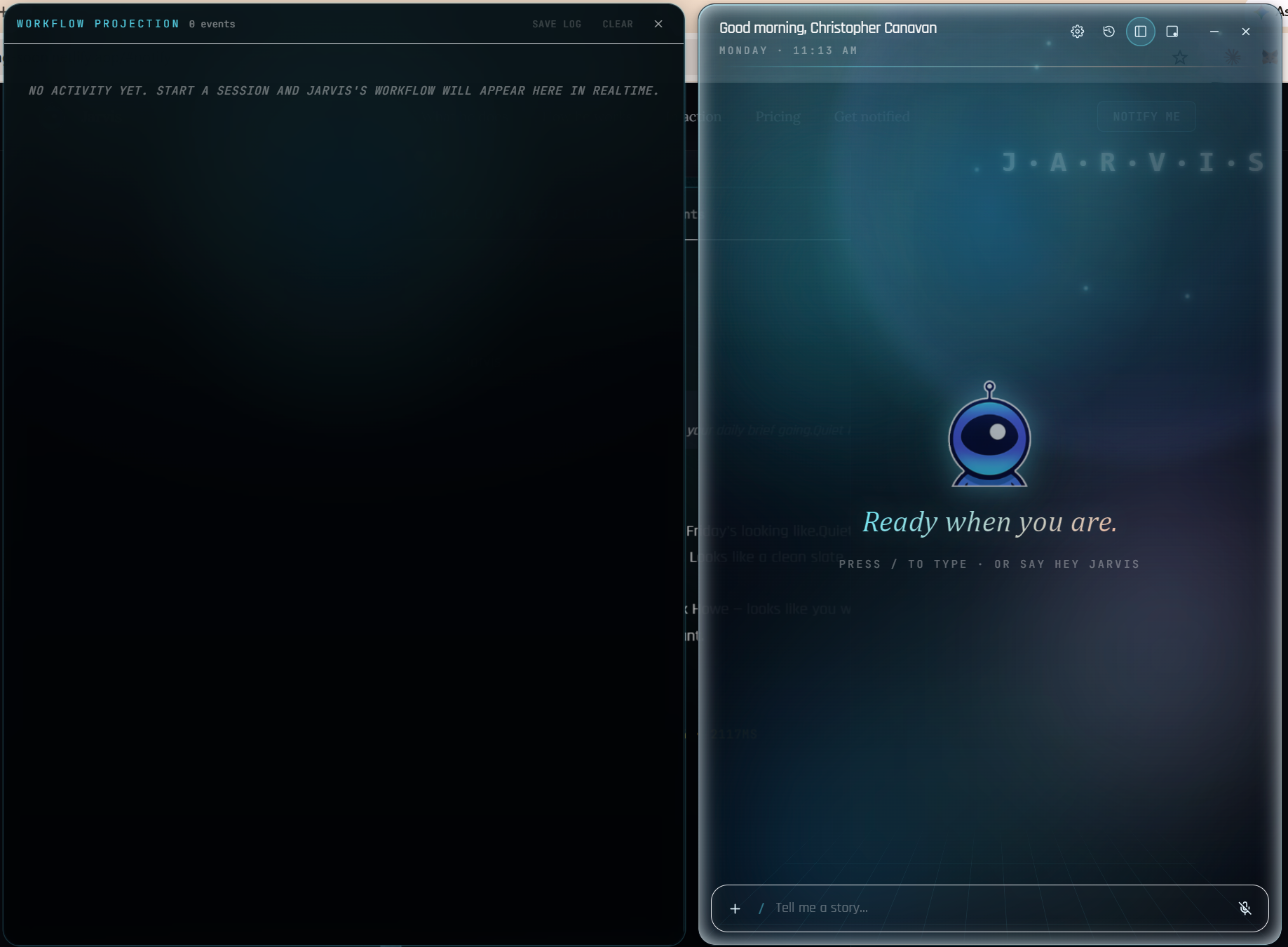
Mornings
One question — "what's on my plate?" — and Jarvis collapses two inboxes, your calendar, and your open loops into a few lines that actually matter.
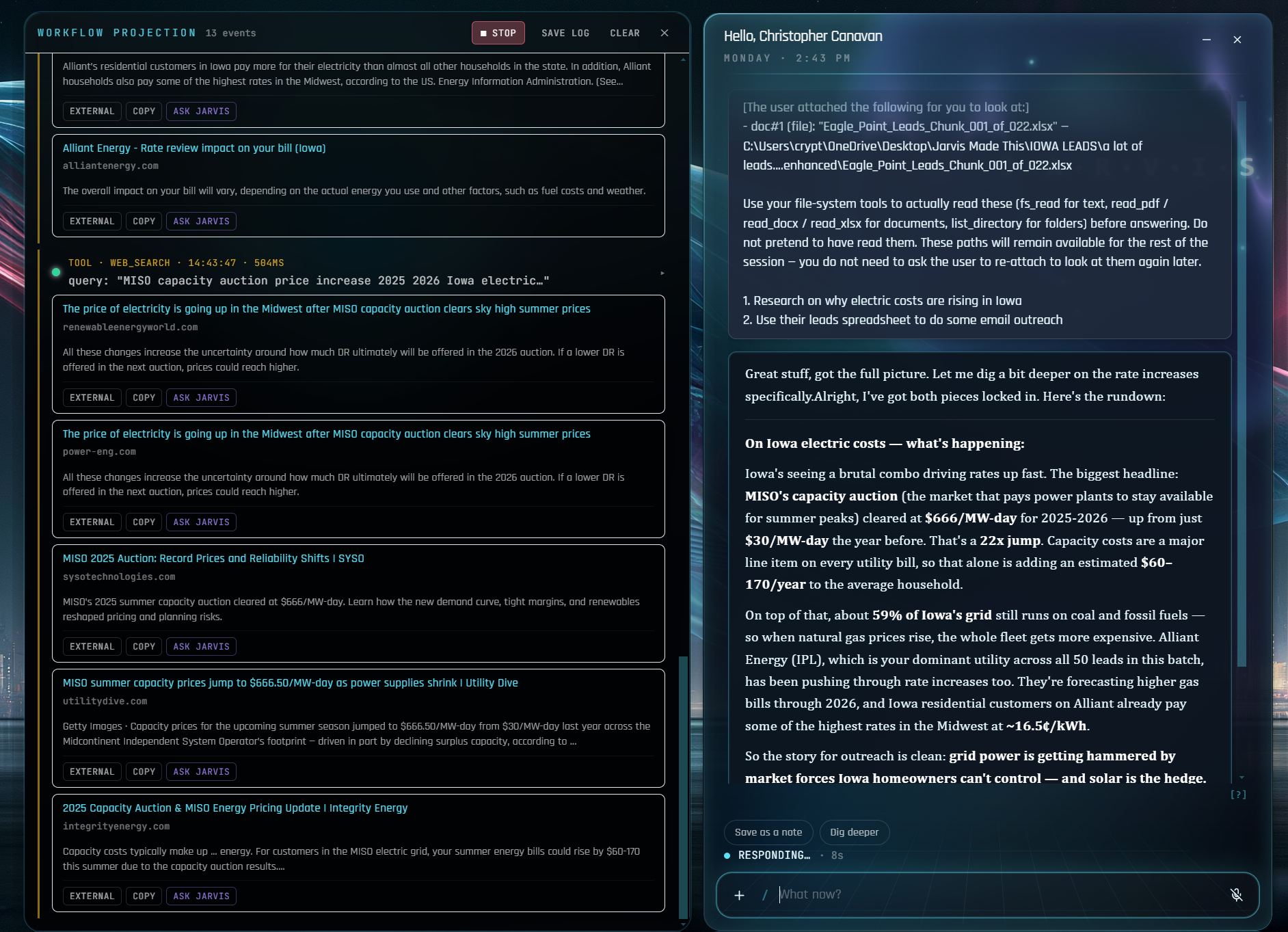
Deep work
Hand off the research, the writing, the 40-email batch. It runs in the background and the live workflow projection shows every search, file, and step — so you trust the output without babysitting it.
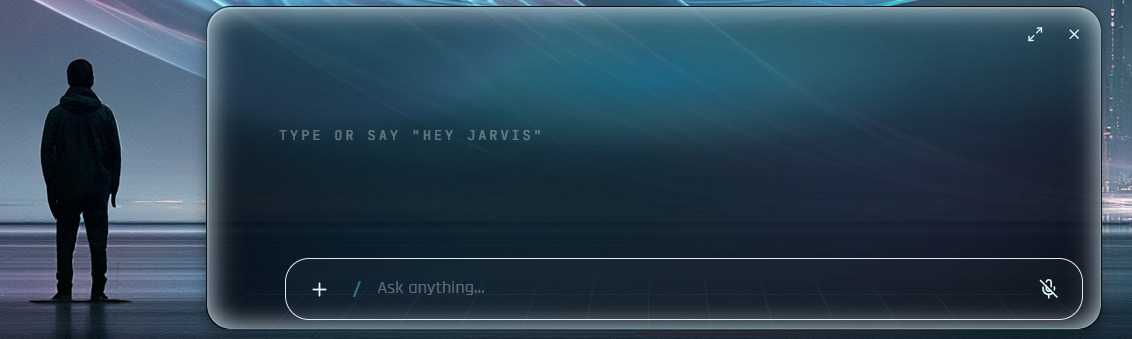
Hands-free
"Hey Jarvis" and talk like you'd talk to a coworker. He hears you over background noise, knows when you're done, and your voice is transcribed on your machine — it never goes to a server.
3 accounts
Gmail, Outlook, iCloud — all briefed as one
~2 sec
to fan out a full morning brief
100%
of actions logged — no phantom work
Setup
No Google Cloud account. No Microsoft developer console. No API keys to manage. Open Settings → Connect, pick your provider, click the button. That's the whole setup.
Gmail + contacts via a 16-character app password (one paste). Google Calendar via a single browser consent click.
~ 60 seconds · nothing to install at google.com
One consent click covers mail, calendar, and contacts. Works with Outlook.com, Hotmail, and any Microsoft 365 work or school account.
~ 20 seconds · nothing to install at portal.azure.com
Generate an app-specific password at appleid.apple.com, paste once. No third-party app login, no Apple ID password ever shared.
~ 45 seconds · Apple's own one-time codes
Every credential — OAuth token or app password — is encrypted with Windows' own keychain the moment you save it. Nothing about your accounts ever touches Jarvis's cloud. Disconnect from the same screen any time.
Pricing
Final number drops at launch — but the math is the math: less than a quarter a day for an assistant that hands you back a workweek's worth of hours every month. Lock in early, keep that price for life.
Personal
TBD
Hint: less than a quarter a day. Every feature. Early-access pricing locks for life — whatever you sign up at, you keep.
Get notified · Launching Summer 2026
Drop your email. We'll only use it to tell you when the beta opens this summer — one email, no marketing nonsense, no list-selling.
Built in Iowa. Sold to humans, not algorithms.
The unfiltered list. Real features. Real use cases. No marketing fluff.